QR code menu for restaurants — guests order from their phone
They scan the table QR and open your menu on their phone, with photos, descriptions and prices. You update dishes and prices instantly, with no reprinting. You can also take orders from the table, for pickup or delivery.
Everything your guest needs at the table
Online menu with QR
Guests scan the table QR and see the menu on their phone, with no app to download.
Photos, descriptions and categories
Organize starters, mains, drinks and desserts with a photo and description so every dish sells itself.
Instant updates
Change prices and dishes from the dashboard and the menu updates right away. No reprinting, no designer fee.
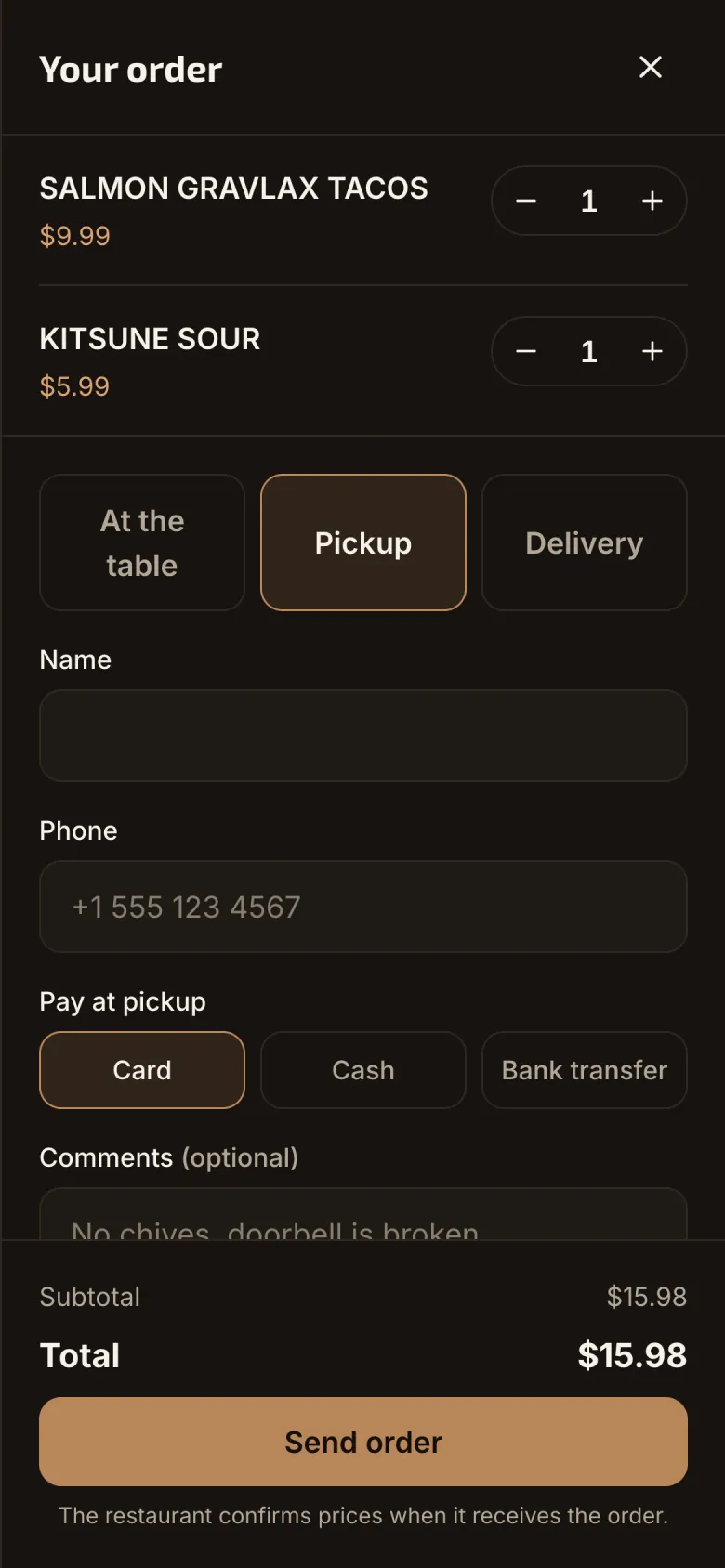
Table, pickup and delivery orders
If you turn it on, guests build the order on their phone and it goes straight to your venue.
Kitchen and bar tickets
Food goes to the kitchen and drinks to the bar, each with status and wait time.
Several brands in one venue
For example sushi and café: each menu with its own hours, and guests can order from both in one cart.
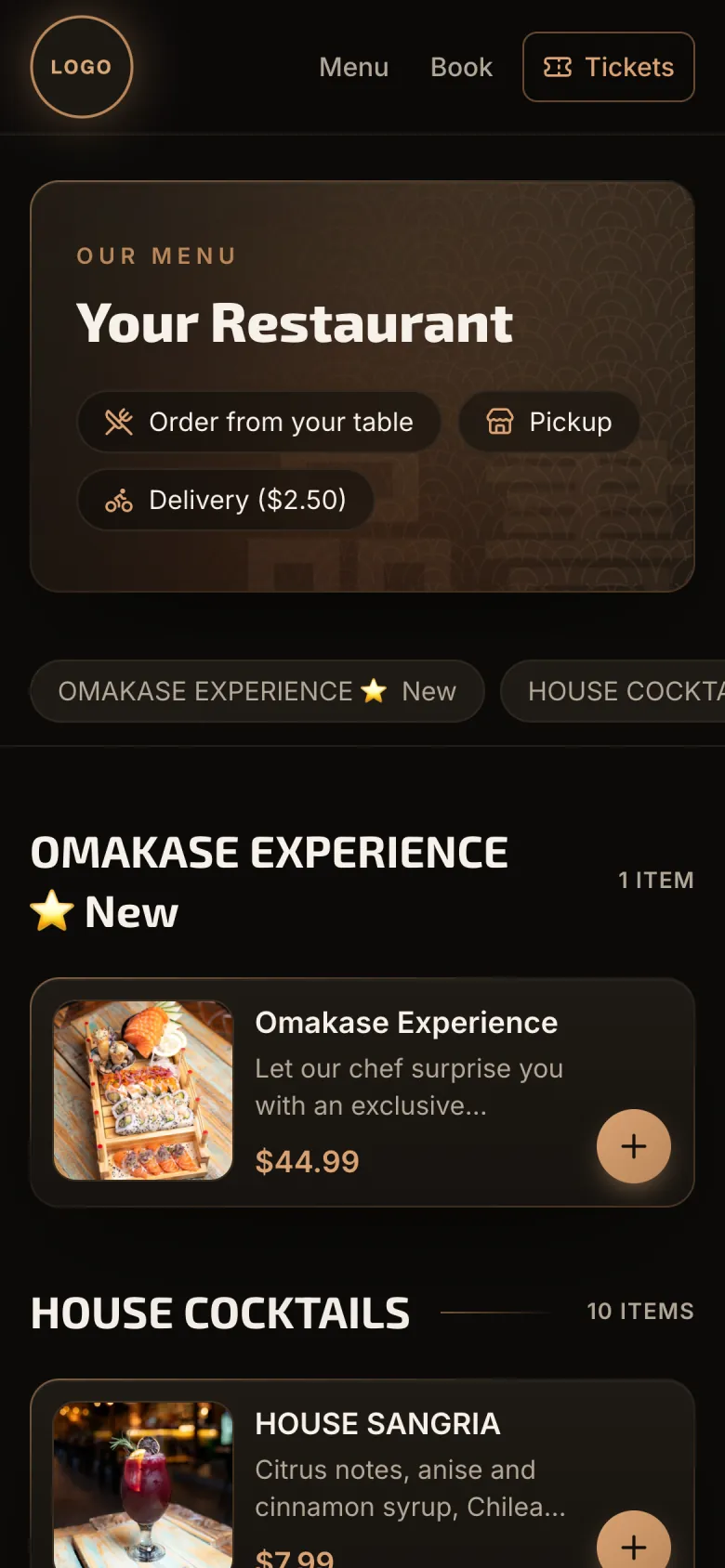
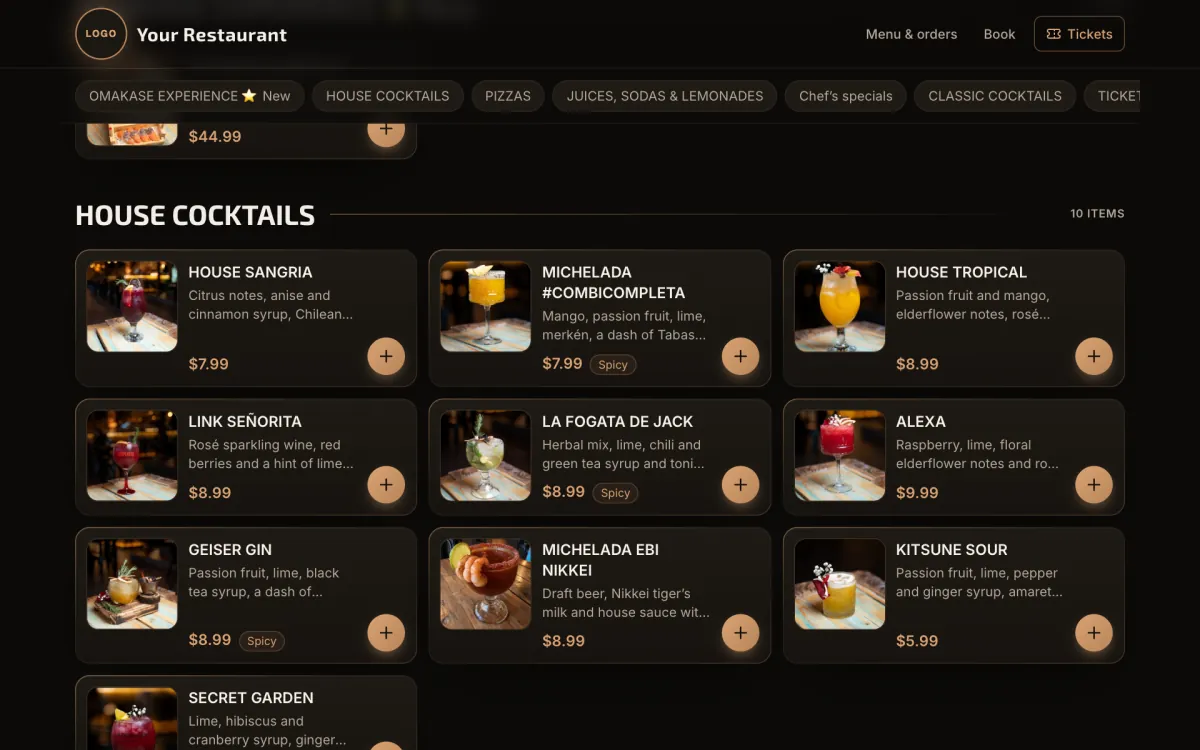
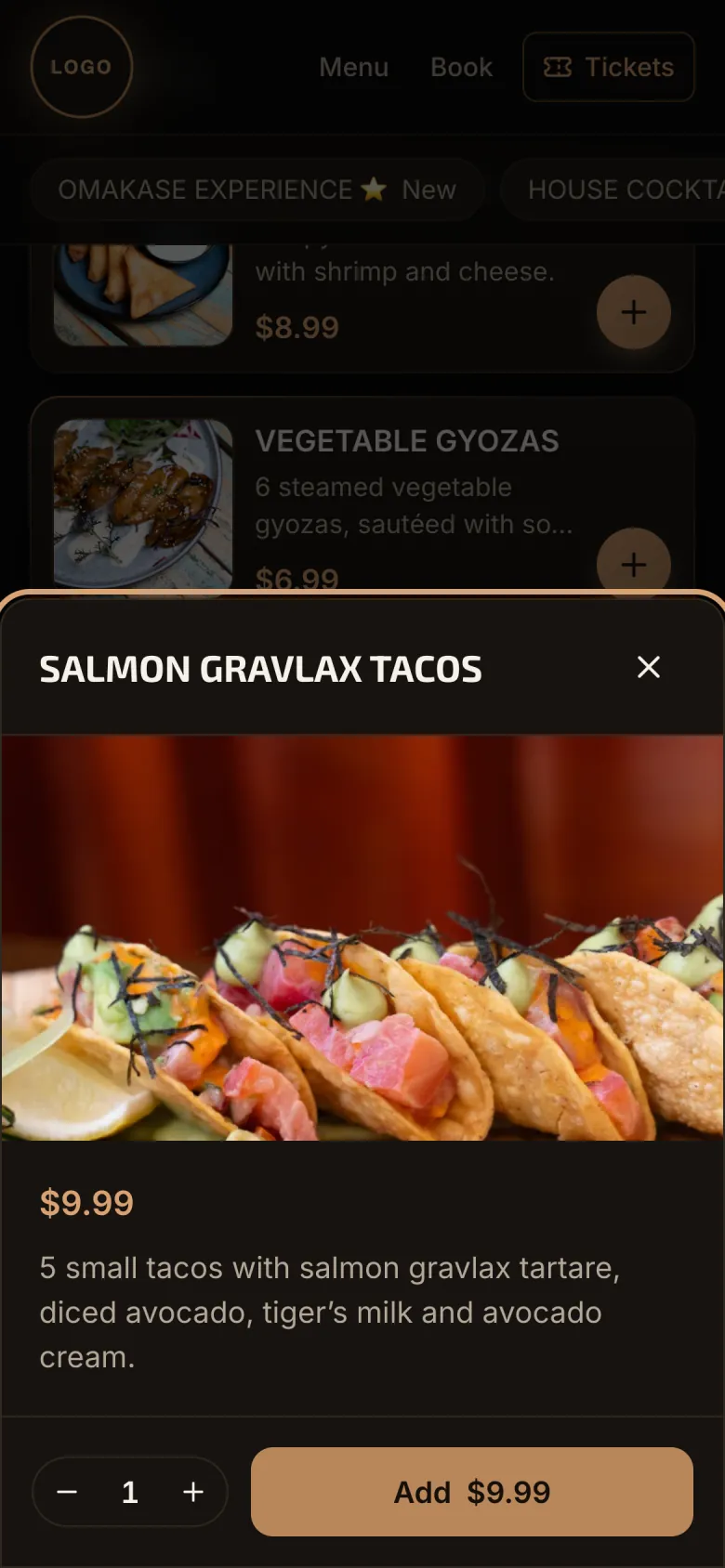
What your guests see on their phone
Real screenshots of a live venue, with the venue name and logo hidden.
From your current menu to a QR on every table
We load your menu
You send your current menu (photo, PDF or spreadsheet) and we put it online with categories, photos and prices.
You print the QR codes
Each table gets its own QR ready to print. If the menu changes, the QR stays the same.
Guests order
They scan with the phone camera, browse the menu and, if you enable it, order from the table, for pickup or delivery.
More than a menu: orders, kitchen and loyal guests
The full version turns your menu into your venue’s ordering system. We confirm what each plan includes in the quote.
Staff app with PIN
Servers, kitchen, bar and delivery staff sign in with a 4-digit PIN, no email or password.
Loyalty club with points
Guests earn points on every order and redeem them for rewards you define.
Sales and best sellers
Daily sales, average ticket, peak hour and top dishes, calculated from your real orders.
Live order tracking
Guests see on their phone whether the order is received, being prepared or ready.
QR code menu vs PDF menu vs printed menu
| QR code menu | PDF menu | Printed menu | |
|---|---|---|---|
| Change a price | Instantly, from your phone | Edit and re-upload the file | Reprint every menu |
| Easy to read on a phone | Yes, built for small screens | Pinch to zoom | Not applicable |
| Photo of every dish | Yes, no printing cost | Yes, but heavy and slow | Each photo raises print cost |
| Pause a sold-out dish | One click | No | No |
| Take orders | Table, pickup and delivery | No | No |
| Shows up on Google | Yes, it is a web page | Barely | No |
Types of venues
Restaurants and cafés
A photo menu with categories and prices you can update every day.
Bars, pubs and sushi
Table ordering, bar tickets and one-click pause for sold-out items.
Pizzerias and food trucks
Pickup and delivery with minimum order and estimated time you control.
Hotels and multi-brand venues
Several menus at the same address, each with its own schedule.
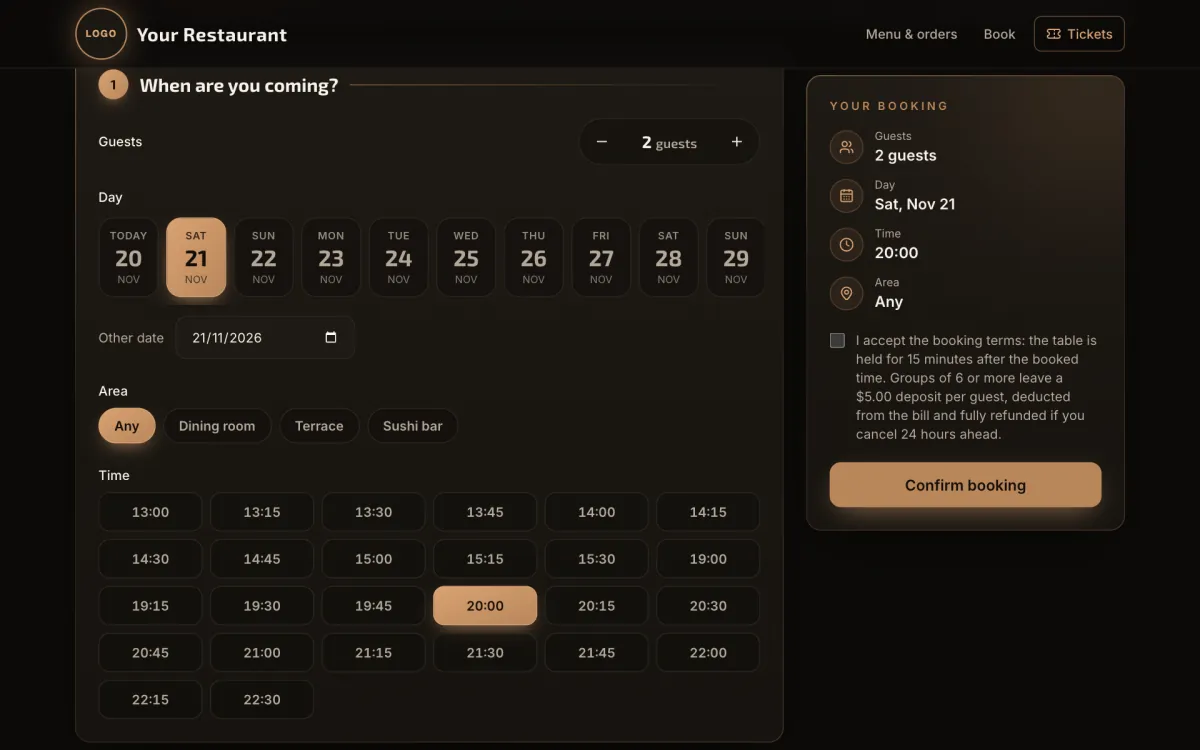
Table bookings alongside your menu
Guests pick the day, time and area and confirm the booking from their phone. Availability and pricing on request.
Subscription or purchase
Pricing is quoted per project and in your local currency. The first call and the quote are free.
Monthly plan
Your online menu live quickly. Pay month to month, with no lock-in.
- Online menu and printable QR codes
- Unlimited updates from the dashboard
- Hosting, updates and support included
Yearly plan
Same as the monthly plan, with the price locked for 12 months.
- Everything in the monthly plan
- Discount versus paying month to month
- Fixed price for one year
Your menu, your domain
Buy the menu and we install it on your own domain. No required monthly fee.
- Installed on your domain (e.g. menu.yourrestaurant.com)
- Your logo and brand colors
- Hosting and support optional, quoted separately
Before you request a quote
It is your venue menu published as a web page. Guests scan a QR code with their phone camera, or tap a link from Instagram, WhatsApp or Google, and see dishes with photo, description and price, with no app to download.
No. The menu opens in the phone browser when they scan the QR or tap the link.
Yes. From the dashboard you update prices, dishes, photos and categories, and the menu changes instantly, with no reprinting.
Yes. You can enable table, pickup and delivery orders. You can also add a WhatsApp AI ordering agent that takes the order and notifies your team.
A PDF forces pinch-to-zoom on phones, loads slowly with photos and has to be re-uploaded after every change. A digital menu fits the screen, updates instantly, can pause sold-out items and can take orders.
The dashboard creates it. You add your tables (one by one or numbered in bulk) and each one gets a QR ready to print. The QR does not change when you update prices or dishes.
Yes. You can have several menus in one venue, for example sushi and café, each with its own hours. Guests pick a menu and can order from both in a single cart.
With your menu and photos ready, a basic version is usually live in a few days. Ordering features and deeper customization are included in the quote.
Want a digital menu for your restaurant?
Tell us about your venue and we will send a free quote, with subscription or purchase options.